
Include GST on Invoices/Receipts
You can set your GST in Taskly so that it is automatically calulated and your GST details are included in all invoices issued by Taskly. The following guide outlines how to set your GST status.
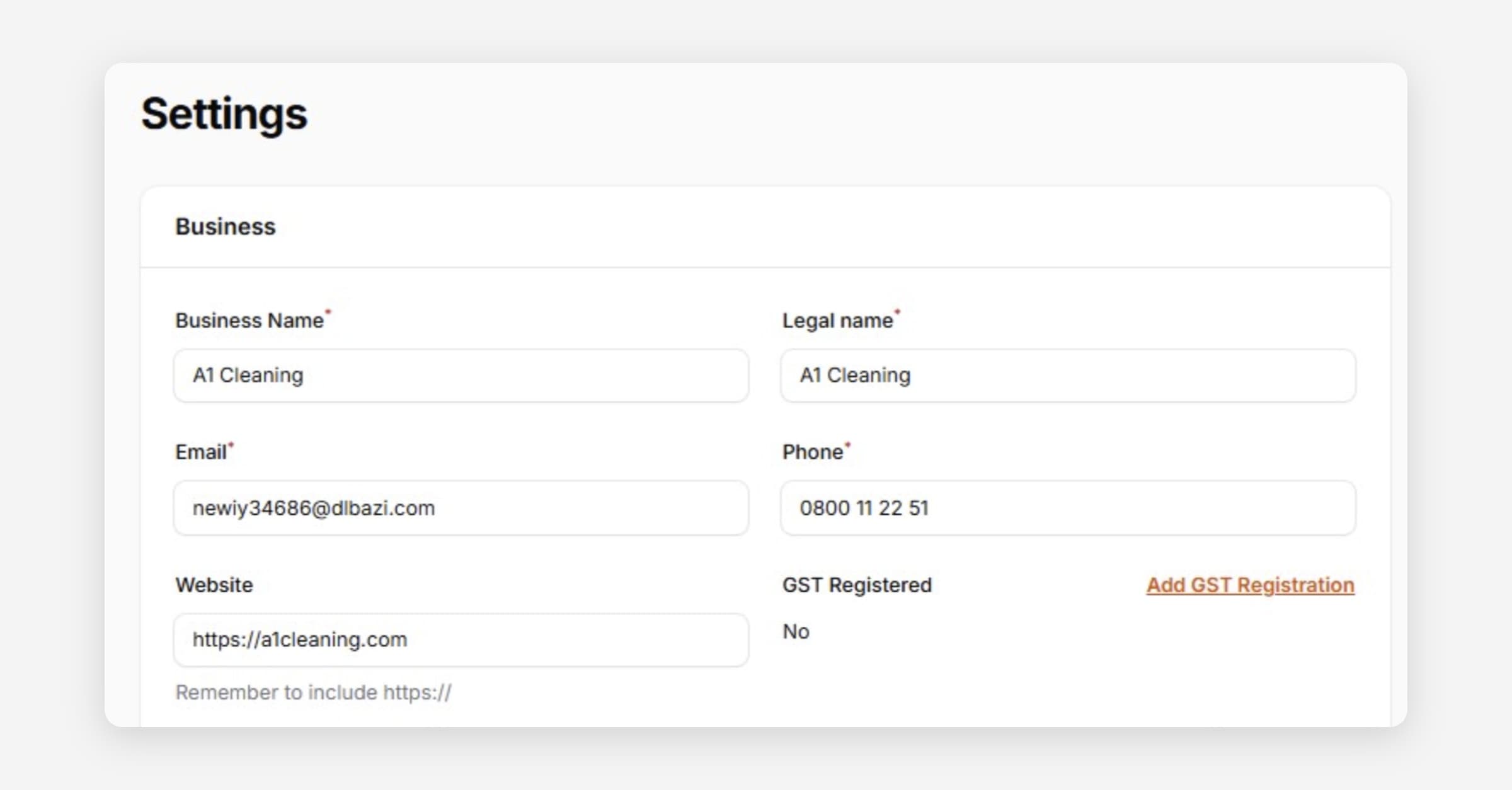
Taskly lets you add your GST registration number so that tax is automatically calculated and your GST details are included on all invoices. This guide outlines how to set your GST status.
Go to Settings
Press Add GST Registration
Enter your 9 digit GST number
Double check the number is correct and press Submit
The GST Registered status will update to Yes. GST will now be calculated and your GST details included on all invoices generated by Taskly.
Choosing GST Inclusive or Exclusive Pricing
When GST is enabled, you can choose whether the prices you enter on a quote, direct booking, or ad hoc invoice already include GST, or exclude it, using the Enter prices excluding GST toggle:
Off (default) — prices you enter already include GST. The total shown is the price you entered.
On — prices you enter exclude GST. GST is calculated and shown as a separate line, and added on top of your entered prices to get the total.
This makes it easier to price jobs based on the excl-GST rate you actually charge, rather than working GST back out of an inclusive price.
Your choice only affects how the total is calculated from what you enter — the customer always sees GST included in the total they're asked to pay.
Default GST Treatment for a Customer
You can set a default GST treatment on a customer's record, so Taskly remembers whether to use inclusive or exclusive pricing whenever you create a quote, booking, or invoice for them.
Go to Customers
Select the customer then press Edit
Set the Default GST treatment
Press Save changes
This only pre-selects the toggle — you can still change the GST treatment on any individual quote, booking, or invoice.
Was this helpful?