
Setup Booking Reviews
Taskly allows you to automatically capture reviews for your bookings. You can capture review feedback directly from customers inside of Taskly, or point them at your Google Profile. The following article outlines how to enable and configure your reviews settings.
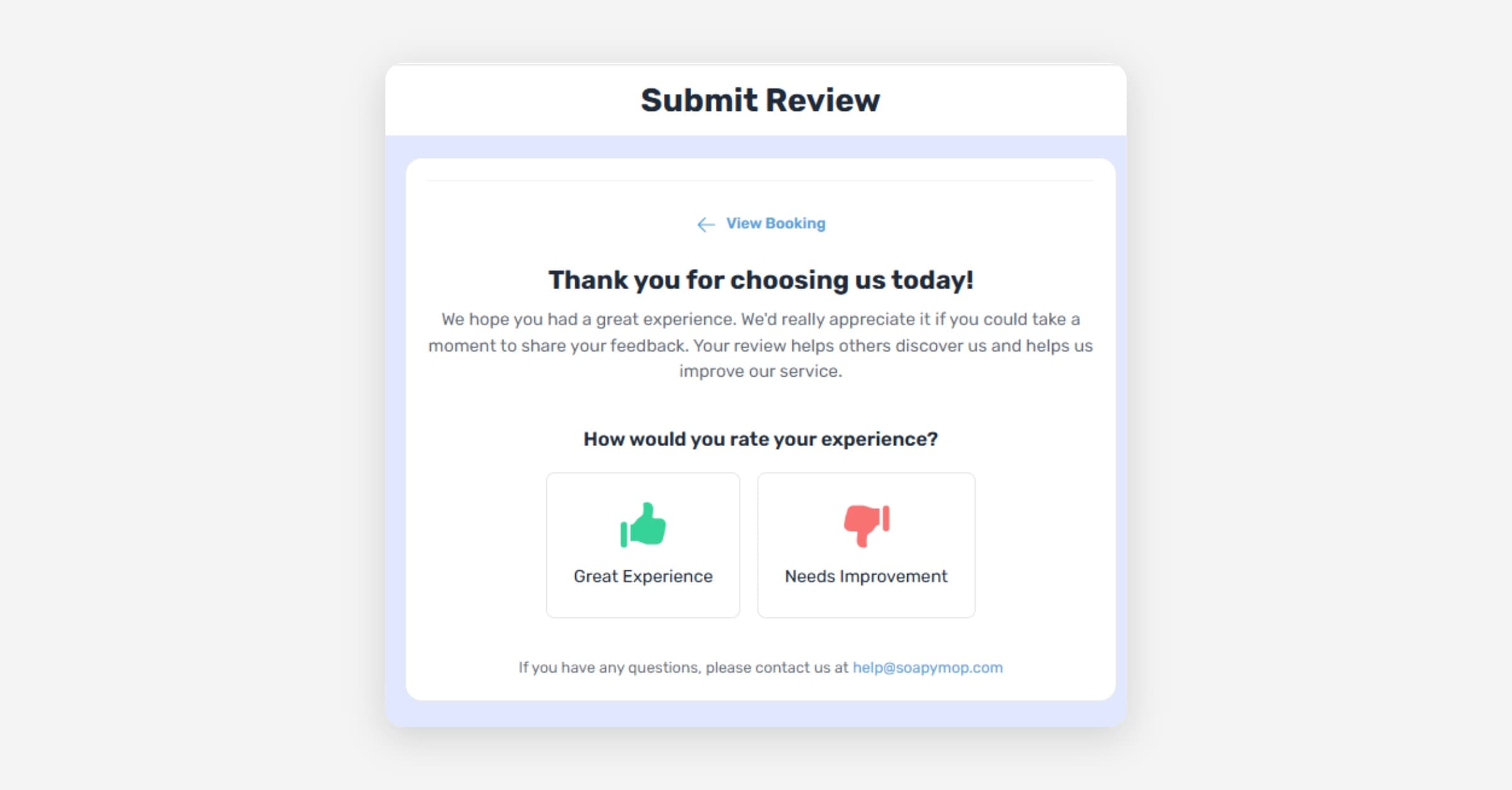
Taskly allows you to automatically capture reviews for your bookings — either as private feedback within Taskly, or by directing customers to your Google My Business profile. The following article outlines how to enable and configure your review settings.
Taskly has built-in logic to ensure that customers are only asked for a review if they have not submitted one in the past 6 months. This prevents repeat customers from being asked for feedback too frequently. Review requests are sent when you mark a booking as complete.
Enable/Disable Reviews
Go to Settings and select Communication
Scroll to Booking Reviews and enable or disable the toggle
Choose whether to send review requests via Email, SMS, or both
You can edit the message displayed with your review request — a preview is shown below the message editor. SMS requires SMS to be enabled. Learn how to enable SMS.
Press Save Changes
Review requests rely on the customer's Customer Portal access. If portal access is turned off for a customer, they will not receive review requests.
Edit Your Review Capture Form
Go to Settings and select Review Settings
Edit the Form Headers and messages as desired
Press Save Changes
Add a Google My Business Review Link
If you would prefer to capture positive reviews on your Google My Business profile, you can add a Google My Business link. Taskly will only direct customers who select a positive rating to your Google profile — customers who select a negative rating will have their feedback captured privately within Taskly only.
Go to Settings and select Review Settings
Enable Show Google Review Link
Enter your Google Place ID
If you don't know your Google Place ID, you can find it here using Google's tool. If you're having trouble, contact us at [email protected].
Press Save Changes
Press Open Google Review Link to test that the link opens your Google review page correctly
Was this helpful?