
Taskly
Taskly
  • Docs
  • Changelog
  • Feature requests
  • Support portal
    • Create and Import Customer Records
    • Unsubscribe a Customer from SMS
    • Tag a Customer
    • View a Customers Bookings
    • Export Contacts
    • Report on Contact Last Booking Date
    • Add a Staff Member/Provider
Docs / Contact Management

View a Customers Bookings

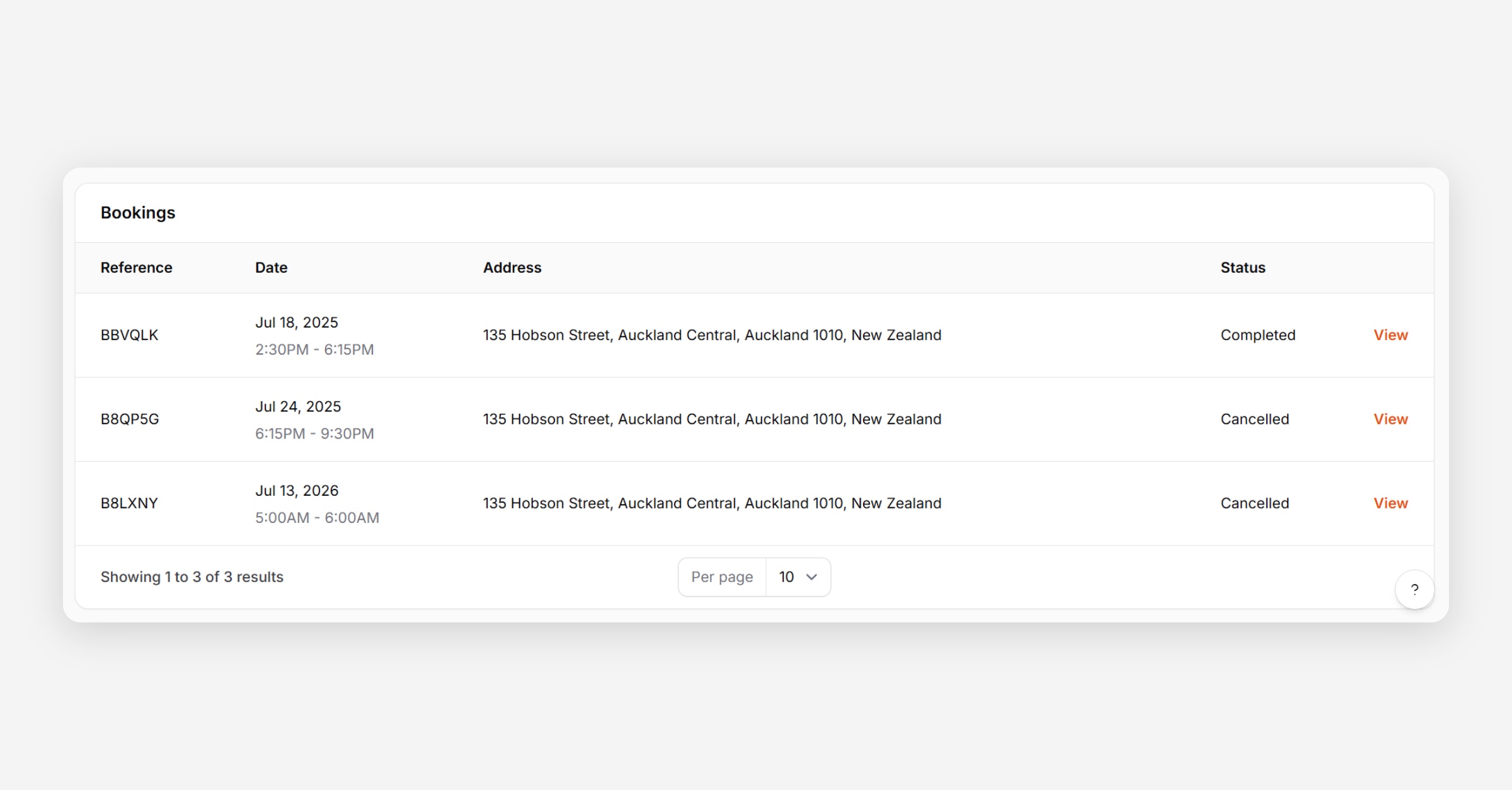
Taskly allows you to view all bookings associated with a specific customer directly from their contact record. The following article outlines how to access and view a contact's booking history.
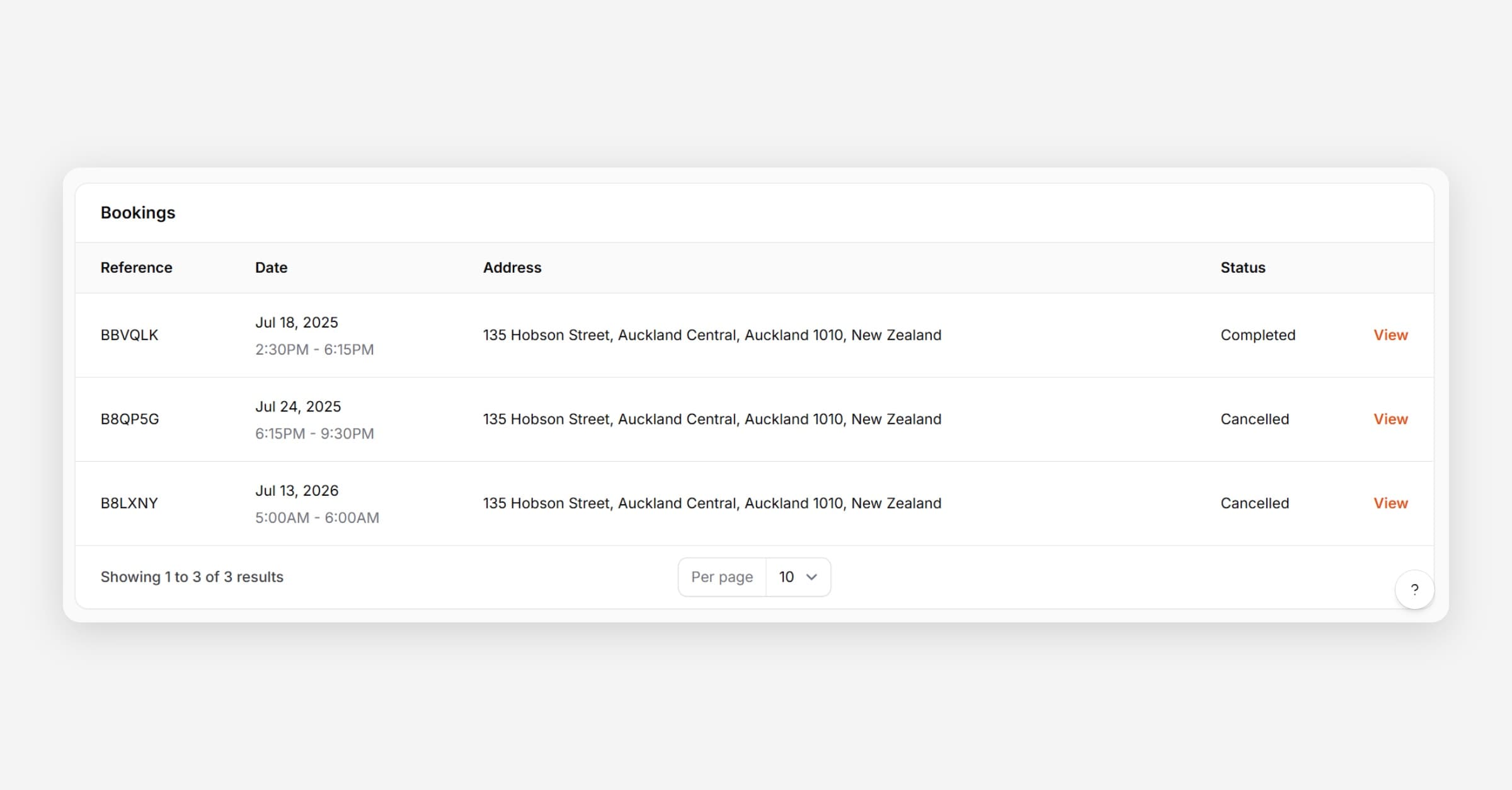
View a Customers Bookings
  1. Open Customers

  2. Find the Customer you would like to view bookings for.

  3. Bookings are displayed at the bottom of their record.
PrevTag a Customer
NextExport Contacts
Was this helpful?